Cold Start: What a GTA Winter Actually Does to an Outdoor Camera
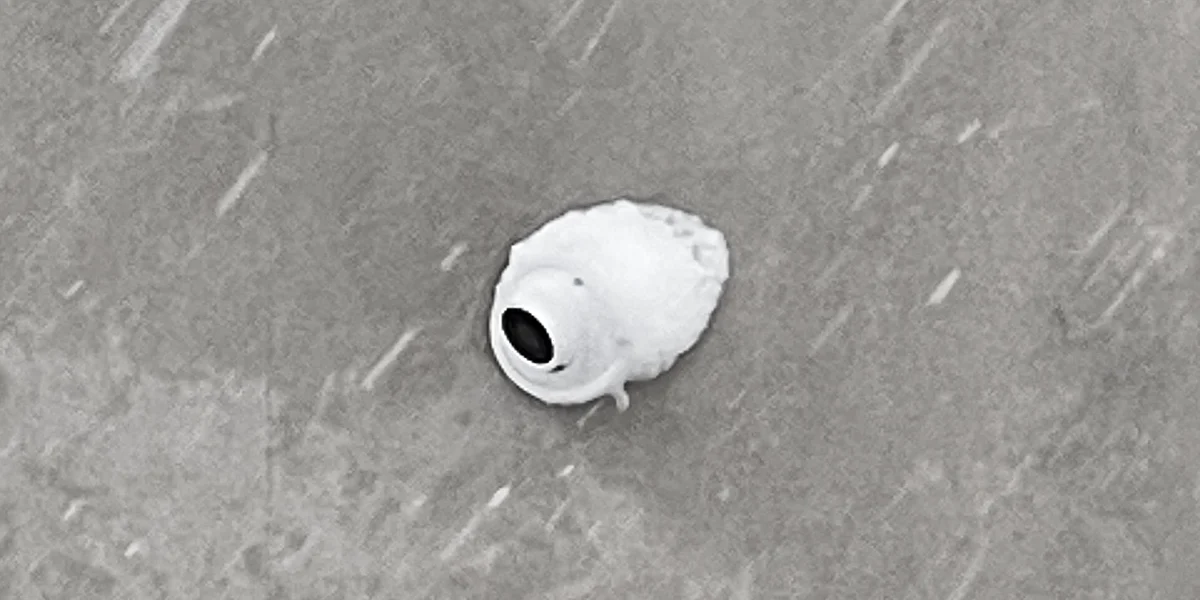
It's a Tuesday morning in late January. It went to −18°C overnight, and four of the eight cameras on a commercial property are showing offline in the app. By noon, with a few hours of sun on that wall, three of them are back. Nothing was vandalized, nothing was unplugged, and no one touched the recorder. The cameras did more or less what their spec sheets said they would do — the spec sheet just wasn't read closely enough back when the system was designed.
Winter doesn't usually break outdoor cameras in the GTA. It exposes decisions that were made in the summer. Here is what actually happens, mechanism by mechanism.
Two Temperatures, Not One
Nearly every outdoor camera datasheet lists an operating temperature and, separately, a start-up temperature. They are not the same number, and the second one is the one that matters in a cold snap.
Operating temperature is the range a camera will keep running through once it is already running and generating its own heat. Start-up temperature is how cold it can be when the camera has to boot from nothing. A camera that runs perfectly well at −30°C may not be able to start at −30°C. That distinction is invisible for eleven months of the year, and then the power flickers at 3:00 AM during a deep freeze and the cameras that would have run happily all night can't come back up.
Manufacturers who take this seriously say so explicitly. Axis cameras with Arctic Temperature Control are specified to both start and operate from −40°C, and the way they do it is worth understanding: on a cold boot the camera suspends mechanical activity and runs its internal heaters first, only allowing moving parts to operate once components are up to a safe temperature. That is a deliberate design feature, not a default — it is not what an unheated camera does.
In practice, the numbers are less dramatic than the rating suggests: Toronto's average January overnight low is about −9°C, and it is cold snaps rather than typical nights that push into the −20s. Against that, the outdoor cameras we specify — rated IP67 or higher and built to operate down to −30°C — have comfortable headroom on the operating figure. The start-up figure is the one that decides whether a two-second power blip becomes a morning of offline cameras.
What Falling Snow Does to Infrared
Most cameras switch to infrared after dark, and on the majority of them the IR illuminators sit in a ring immediately around the lens. Infrared is light. Light reflects off anything close and bright — and a snowflake two feet from the housing is both.
The result is backscatter: the illuminator lights up the precipitation in the near field, the sensor meters for those bright flakes, exposure drops, and the background you actually care about goes dark. The camera is recording exactly as designed. The footage is still useless. It is the same reason high beams make driving through heavy snow harder rather than easier.
The fix is geometry, not megapixels. Separating the illuminator from the lens — or mounting under a soffit or eave so falling snow isn't in the near field at all — removes the backscatter. So does having enough existing exterior lighting that the camera doesn't need to illuminate the scene itself. To be fair to infrared: where you genuinely cannot add visible light, because a neighbor's bedroom window faces the same driveway, IR remains the right answer. It just has to be placed with the snow in mind.
The Failure That Shows Up in March
Condensation inside a dome is a winter problem that reports itself in early spring, and it is almost always misread as a failed seal.
Here is the mechanism. Air inside a housing warms in the afternoon sun and cools again overnight. Every one of those cycles makes the housing breathe — drawing a small amount of outside air in through whatever the least perfect seal happens to be. That air carries moisture, and the moisture condenses on the coldest surface it can find, which is the inside of the glass. Once it is in there, no amount of cleaning the outside of the dome will touch it.
IP67 describes resistance to water arriving from the outside. It says nothing about a housing that quietly inhales damp air through a cable entry for three months. That is why the answer lives at the cable, not the dome: a properly sealed gland at the entry point, a drip loop so water runs away from the housing instead of tracking along the cable into it, desiccant where the manufacturer provides it, and as few outdoor terminations as the layout allows. Freeze-thaw cycling is what drives the pumping, which is why the fog appears after the coldest stretch has passed rather than during it.
Battery Cameras and the 0°C Line
Battery cameras solve a real problem, and it is worth saying so plainly. On a rental where you can't run cable, on a heritage wall you'd rather not drill, on a detached garage with no practical path back to the recorder — a wire-free camera is a legitimate answer, and sometimes the only one.
The constraint is chemical rather than mechanical. Consumer lithium-ion cells cannot be safely charged below 0°C. Below freezing, lithium ions stop being absorbed into the graphite anode and instead plate onto its surface as metallic lithium — permanent capacity loss, and in the worst case an internal short. Battery management systems know this perfectly well, which is why they simply refuse to charge below freezing rather than damage the cell.
So for a good part of the GTA winter, a battery camera on an exterior wall is drawing down a charge it has no way to replace — solar panel or not, because the panel can only offer power the battery is not permitted to accept. Runtime that was entirely adequate in July turns into a routine of bringing the camera indoors to warm up and recharge, in the season with the longest nights and the least daylight to record in. None of that makes Power over Ethernet more sophisticated. It makes it indifferent to the weather, which is a different and more useful property.
Heat Costs Power, and the Bill Comes All at Once
Cameras rated for deep cold reach that rating with heaters — usually inside the housing, often bonded directly against the window to keep ice off the glass. Those heaters draw power, and they draw it on exactly the night every other camera on the property is drawing it too.
Standard PoE (802.3af) guarantees about 12.95 W at the device. A heated outdoor camera can exceed that, which is why those models specify PoE+ (802.3at) and its roughly 25.5 W instead. That much is usually caught at the camera. What gets missed is the switch: a switch has a total power budget across all ports, not just a per-port rating. Eight cameras idling at 6 W apiece in August sit well inside it. The same eight on the first −20°C night, every heater running at once, can walk straight past it.
The symptom is cameras dropping and rejoining in no obvious pattern, on cold nights only, with nothing wrong at any individual camera — which is why it gets misdiagnosed as a network fault or a bad cable more often than not. The design decision is simple once you know to make it: size the switch for the coldest night of the year, not for the afternoon of the installation.
One Thing Wind Chill Doesn't Do
Wind chill describes how quickly exposed skin loses heat. It is not a temperature that objects reach. A camera in −15°C air with a 40 km/h wind across it does not cool to −30°C — it reaches −15°C faster and then stays there. So wind chill has no bearing on whether a camera's temperature rating is adequate. What it does change is the heater's duty cycle: the same camera on an exposed corner works considerably harder to hold its temperature than one in a sheltered spot, and draws more of that power budget doing it. Identical rating, different behavior — which is a mounting decision, not a purchasing one.
What This Adds Up To
Very little of this is a case for buying a more expensive camera. The camera already on the wall in January is usually the right one. What decides how it performs through a GTA winter is where it was mounted, how light reaches it after dark, how the cable enters the housing, and whether the switch behind it was sized for the coldest night rather than the mildest. Those are all design decisions, and every one of them is cheaper to get right once, in September, than to diagnose in February.
If you already have a system and last winter produced offline cameras, fogged domes, or footage that went white every time it snowed, those are legible symptoms with specific causes — not a reason to replace everything. See how we approach camera design and installation, or book a complimentary consultation and we'll look at what your site is going to do this winter before it does it.